

How to Check for Toy Recalls Before Buying: A Parent's Step-by-Step Guide
Last Updated: November 8, 2026
Quick Summary
To check for toy recalls before buying, gather the brand name, model or style number, lot code, and date code from the packaging or toy, then search the Consumer Product Safety Commission recall database by brand plus the word recall, then by model number. Cross-check the manufacturer's website and recent toy recall lists, and confirm your lot code falls inside the affected batch before assuming your item is covered.
- A recall does not expire, so notices from years ago still apply to secondhand and marketplace units.
- Check the bottom of the toy, back of packaging, battery compartment, and sewn-in tags for identifying codes.
- A brand-name match alone does not confirm your item is covered; compare model number, photos, dates, and lot code.
- Ask secondhand sellers for a photo of the label and lot code before you meet or pay.
- Set up a CPSC recall email alert and register new baby products with the manufacturer.
Table of Contents
- Why a Quick Recall Check Belongs in Every Toy Purchase
- Step 1: Gather Product Details Before You Search
- Step 2: Search CPSC Toy Recalls and the Official Recall Database
- Step 3: Cross-Check the Toy Recall List and Toy Safety Alerts
- How to Check for Recalls on Baby Products and Secondhand Toys
- When a Search Returns Nothing: Matching Similar Products and Handling Gaps
- Set Up Recall Alerts and Report Unsafe Products
- Shop Tender Tots & Wellness with a Recall Check in Hand
- Frequently Asked Questions
Why a Quick Recall Check Belongs in Every Toy Purchase
A toy recall can be issued months or even years after a product hits store shelves, which means the box you're holding today may already be covered by a safety notice. For a broader safety-first approach, see our article on how to pick safe non toxic toys.
Here's the uncomfortable truth most buying guides skip: a recall does not expire. A notice issued for a toy in 2019 still applies to any unit sitting in a resale bin, a marketplace listing, or a grandparent's closet.
Below, we'll show you exactly how to identify a product, search the official recall database, and decide what to do when the results are murky.
Step 1: Gather Product Details Before You Search
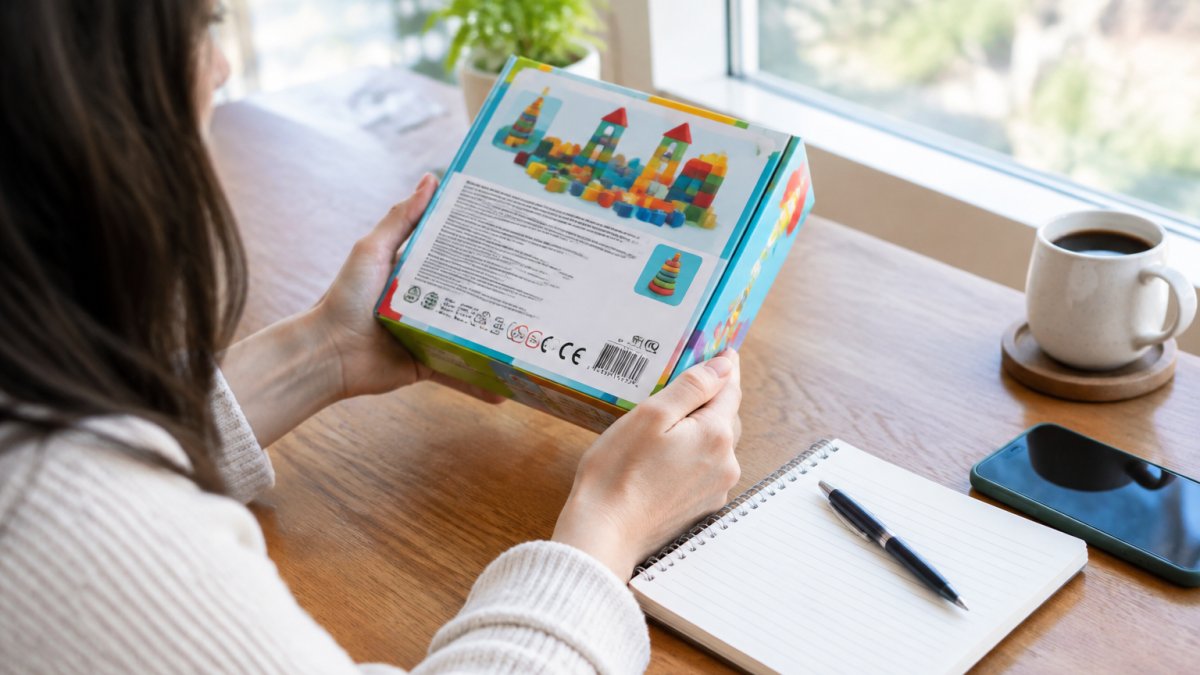
The search only works as well as the details you feed it. Before you open a browser, turn the box over and collect four things: brand name, product name, model or style number, and the date or lot code.
Finding the Model Number, Lot Code, and Date Code
Manufacturers print identifying marks in a few predictable spots. Check the bottom of the toy, the back of the packaging, the battery compartment, and any sewn-in tag on plush items.
- Model or style number: usually a short alphanumeric code near the barcode
- Lot code: a stamped or printed string that identifies the production run
- Date code: often formatted as month/year or a four-digit code
Write these down before you shop. A phone photo of the label works just as well and saves you a second trip to the shelf.
The man is American.
When the Packaging or Label Is Missing
Secondhand toys and hand-me-downs often arrive with no box at all. Start with what you can see: a brand name molded into the plastic, a logo on a base, or a fabric tag inside a seam.
If nothing is marked, search using a clear photo. Reverse image searches and the brand's own website catalog can often match a toy visually.
Before you search, collect these four details from the box or toy.
| Detail | Where to find it | Note |
|---|---|---|
| Brand name | Packaging or molded into the toy | Search with the word "recall" |
| Model or style number | Near the barcode; short alphanumeric code | Search it alone if brand search is unclear |
| Lot code | Stamped or printed string on the toy | Identifies the production run |
| Date code | Often month/year or a four-digit code | Compare against the notice window |
| UPC barcode | On the packaging | Useful when the model number is worn off |
Step 2: Search CPSC Toy Recalls and the Official Recall Database
The fastest reliable check is the Consumer Product Safety Commission recall database. The Consumer Product Safety Commission is the federal agency that issues and archives recalls for children's products sold in the United States, and its database is free and searchable.
Search in this order:
- Enter the brand name plus the word "recall"
- Search the model or style number alone
- Try the product name as printed on the box
- Search the UPC if the model number is unclear
Read every result that looks close. Recall notices list the specific units affected, and a match on brand alone does not confirm that your item is covered.
Step 3: Cross-Check the Toy Recall List and Toy Safety Alerts
One database is a good start, not a finish line.
Build a quick cross-check habit:
- Search the CPSC database for the model number
- Check the manufacturer's website for a recall or safety page
- Scan recent toy recall lists published by consumer safety groups
Reading a Recall Notice: Hazards, Affected Batches, and Remedies
A recall notice tells you four things, and each one matters. The hazard describes what can go wrong, such as choking hazards from small detachable parts or excess lead in paint. The affected batch tells you which production runs are covered. The remedy explains whether you get a refund, a replacement, or a repair kit. The contact details tell you who to call.
The batch detail is where most parents slip up. A recall rarely covers every unit of a product line. If your lot code falls outside the affected range, your item is likely fine.
How to Tell a Real Match from a Similar Product
This is the part most guides skip, and it is the part that decides whether you actually own a recalled toy. A search result that shares a brand name, a color, or a general product type is not a match. Work through the notice in this order and stop at the first field that disagrees:
- Product name and model number. The notice lists the exact model or item number. If your box shows a different number, you are probably looking at a different product, even if the toy looks identical.
- Photos. Compare the notice photo to your toy on details that survive a redesign: the shape of the base, the number of parts, the placement of a logo, the color of a button. Manufacturers often reuse a mold across several model numbers, so a photo match alone is not proof.
- Manufacture or import dates. Notices state the period the affected units were made or sold. A toy bought well before or after that window is usually outside the recall.
- Lot or date code. If the notice gives a code range, compare it character by character. A single digit can separate an affected run from a clean one.
- Where it was sold. Some notices name specific retailers or channels. A unit bought elsewhere may still be covered, but the notice will tell you how the agency defined the population.
Watch out: a recall that names a brand but not your model is often a line-wide notice, and the notice text will say so explicitly with language like "all units" or "models beginning with." Read that sentence before you assume you are clear.
What the Notice Does Not Tell You
Recall notices are written for the affected population, not for your specific unit. They will not confirm that your toy is safe, and a clean lot code does not rule out a hazard the agency never investigated. Treat a notice as one input: if the toy has small parts, loose magnets, or a frayed seam, the physical risk stands regardless of what the database says.
How to Check for Recalls on Baby Products and Secondhand Toys
Baby gear and secondhand toys need a different approach, because the purchase channel changes what you can verify.
For secondhand purchases, ask the seller for a photo of the label before you meet.
For baby products specifically, register the item with the manufacturer when you can. If you're weighing whether secondhand gear is worth the effort, our guide on why secondhand baby gear is worth it for new parents covers the value and the risks side by side.
Older wooden and painted toys deserve extra attention. Our walkthrough on how to identify lead paint on vintage toys explains what to look for on secondhand pieces.
When a Search Returns Nothing: Matching Similar Products and Handling Gaps
No results does not always mean no risk. It can mean the toy is too new for a recall, sold under a different name, or imported without a federal listing. The gap competitors leave open is what to do next, so treat an empty result as a prompt to widen the search rather than a clean bill of health.
Work through these checks before you relax:
- Search the brand name alone, without the model number
- Try alternate spellings and the manufacturer's parent company
- Search the product category plus "recall" to catch line-wide notices
When the Toy Has No Label, Box, or Model Number
Secondhand toys and hand-me-downs often arrive with no packaging at all, and this is where a recall check most often stalls. Start with what is physically on the toy: a brand name molded into the plastic, a logo on the base, a fabric tag inside a seam, or a battery-compartment sticker.
If nothing is marked, a clear photo is your best identifier. Reverse image searches and the brand's own website catalog can often match a toy visually, and a match gives you a model name to search.
Secondhand, Marketplace, and Imported Toys
These purchase channels change what you can verify, so adjust the process rather than skipping it.
- Secondhand and marketplace listings. Ask the seller for a photo of the label and the lot code before you meet or pay. If they cannot provide one, search the brand and product type anyway, because many recalls cover entire product lines rather than single batches. A seller who will not send a label photo is itself a signal.
- Imported toys. A toy made and sold abroad may have no federal listing at all. Check the safety regulator for the country where it was made or sold, and treat a foreign notice as a hazard signal even when it does not apply to your unit. Recall coverage differs by country, and a notice abroad can still tell you what went wrong with a design.
- Store brands and white-label toys. The same factory product can be sold under several names. Search the manufacturer named on the label, not just the store name on the box.
When to Stop Searching and Use Judgment
A search can only confirm what has been reported. A toy with small parts, loose magnets, or a frayed seam is a risk regardless of what any database says, and a toy that fails those physical checks should not go to a child even if every search comes back clean. If you are unsure after widening the search, contact the manufacturer directly with the model number and lot code and ask whether the unit falls under any notice.
Set Up Recall Alerts and Report Unsafe Products
Checking once at purchase is smart. Staying informed afterward is smarter, because recalls can land months later.
Set up a recall email alert through the CPSC so new notices arrive automatically. Subscribe to a consumer safety newsletter as a backup. Then register any new baby product with its manufacturer.
If you spot a problem with a toy you own, report it. The CPSC accepts reports on unsafe products from consumers, and those reports feed the same system that protects other families (CPSC Approves Rule Establishing a Publicly Available Consumer Database for Reporting...).
Shop Tender Tots & Wellness with a Recall Check in Hand
A two-minute check before you buy is the simplest safety habit a parent can build. Gather the details, search the official database, cross-check the notice, and confirm the batch.
At Tender Tots & Wellness, we choose our toys with that same care. Our educational toys include pieces like the WordWise Blocks set, made from eco-friendly wood with 40 activity cards for early literacy practice. Our Montessori toys collection focuses on wooden, sensory, and open-ended play for toddlers.
Every order ships free worldwide, and our support team is available around the clock for questions about a product before you buy.
The real challenge isn't finding recall information. It's building the habit of looking before you click buy.
Frequently Asked Questions
How do I check if a toy has been recalled?
Start with the official recall database run by the Consumer Product Safety Commission. Search by the toy's name, brand, model number, or style number. If you have the packaging, look for a lot code or date code and include it in your search. Read the recall notice to confirm the hazard and the affected batch, then compare it to the exact toy in front of you. A recall does not expire, so an older notice still applies to any matching product you find for sale.
What information do I need to identify a recalled toy?
The brand, the product name, and the model or style number are the three details that make a match reliable. Add the lot code, date code, or manufacture date when the label shows one, because recalls often target a single production run rather than every unit ever made. If the packaging is gone, take a clear product photograph and search using the visible markings, then compare the shape, colors, and part count against the recall notice photos.
What should I do if a toy I want to buy appears on a recall list?
Do not buy it. A recalled toy is an unsafe product, and selling one is illegal. Note the recall notice number and the remedy the manufacturer offered, which is usually a refund or replacement. If you already own a matching toy, stop letting your child use it, remove the batteries if it has them, and follow the instructions in the notice. You can also report the listing to the retailer or the CPSC if you see it still for sale.
Can I sign up for alerts about toy recalls?
Yes. The CPSC offers email alerts you can subscribe to, and many manufacturers send a recall email to registered product owners. Registering a product at purchase is the simplest way to be reached directly if a recall alert is issued later. Pair that with a quarterly check of the recall database for any toys already in your home, especially for baby products and secondhand items where the original purchase record is missing.
